






 DriverPer stop Failed attempt If it cannot be delivered, the driver records the attempt and the stop stays pending to be tried again.

Signed deliveries.
And the proof kept.
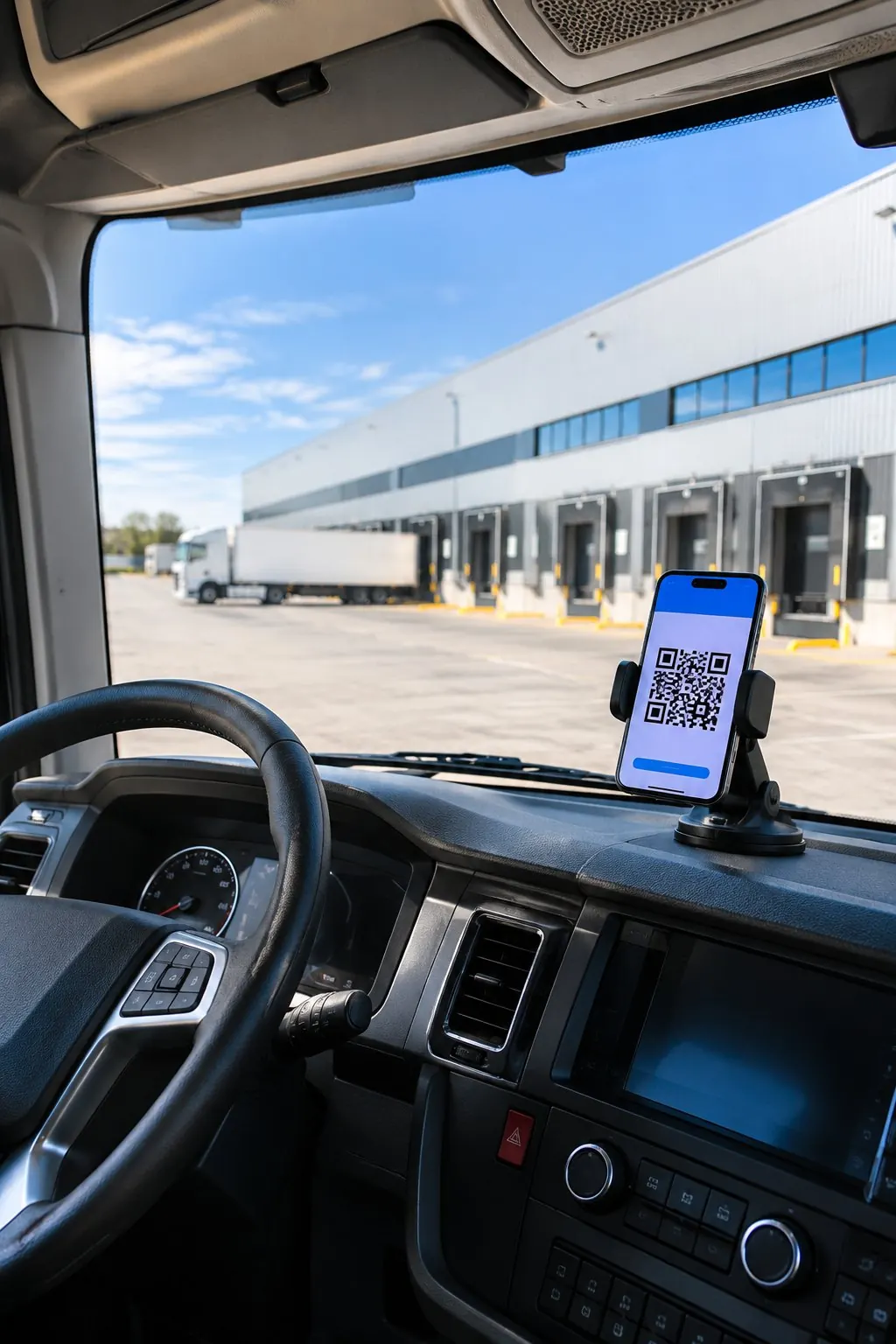
The driver collects the signature and photos on the phone, and Cofactu issues the proof of delivery (POD): a PDF with a QR code that opens without an account.
Deliveries is the part of Cofactu Transport that documents each stop of a job: arrival, delivery, reservations and incidents, with a tracking link for your customer. On the Logistics plan, from €79/month, with a 30-day trial and no card.

From the driver's phone Each stop,
Each stop,
in four taps.
-
Opens their route
With their login under “My route”, or with the job link if they have no account: a self-employed driver or the driver of a subcontractor.

-
Marks each stop
“Start route”, “I have arrived” and “Goods collected”. Each mark is stored in the job's history.
-
Collects the delivery
The name of the person receiving, a signature on the screen, photos and, if there are any, the reservations. On confirming, Cofactu issues the POD.

-
Without signal, too
The draft, the signature, the photos and the confirmation wait on the phone and are sent when the network is back.




What stays as proof The delivery,
The delivery,
with its proof.
Each stop is confirmed with the recipient present. What is collected is stored with the job, not on the driver's phone.
On-screen signature. The person receiving signs with a finger and their name is recorded. The signature is stored in your account and never published.
Photographs. The packages, the dock or the damage, as PNG or JPEG up to 5 MB each. Visible only when logged in.
Delivery note signed on paper. If the delivery was signed on paper, a photo of the delivery note (albarán) is enough: the AI fills in the data and you confirm the signature is visible. If it detects damage, it suggests opening the incident.
With or without reservations. A delivery with reservations cannot be issued without the detail of what the recipient noted.
How much proof each job needs. You decide, by amount, whether a signature, photo, location or package count is required. A delivery is never blocked: if a proof is missing, it is recorded as reduced proof, with the reason.
Everyone sees
their part of the job.
The driver sees only the jobs assigned to them, and your customer sees the status and their proofs. Costs and margins stay in the office.
| Who | How they get in | What they see | What they can do |
|---|---|---|---|
| Your own driver | “My route”, with their user. Installs on the phone as an app. | Their assigned jobs: stops, times, goods and vehicle. | Start the route, mark arrivals and collections, issue the POD, record attempts and incidents. |
| Driver without an account | A job link that expires and can be revoked. | That job, as long as it stays assigned to them. | The same as your own driver. |
| Office | Transport → Deliveries and Incidents. | All PODs with their signatures, photos and events. | Confirm, correct and send proofs; resolve or cancel incidents. |
| Your customer | One tracking link per job. | Status, route milestones and issued proofs. | Download the POD. No costs, margins or internal data. |
When it does not go as planned
What happens at unloading is recorded too.
A refusal, a closed dock or an open box is not lost in a message: it stays on the job, with its stop and its time.
DriverPer stop Failed attempt If it cannot be delivered, the driver records the attempt and the stop stays pending to be tried again. Driver or officeWith severity Incident Refusal, damage, shortages, closed destination, delay or breakdown, with severity and a photo. High and critical ones alert the company's managers. OfficeWith AI Driver's message In the panel you paste what the driver wrote to you and the AI suggests the type and severity. You review it before opening the incident. OfficeWith its reason Correcting the proof An issued POD is not edited: a new one is issued to replace it, with the reason in the PDF. The link you already sent keeps showing the original. 
Your customer follows it.
You keep the proof.
-
One tracking link
per job -

30 daysyour customer's link lasts
if you do not choose another date -
Rotating or revoking the link
cuts off access at once -
Departure, arrival, collection
and delivery, with no costs or margins -
The POD hangs off the job, next to its DeCA
-
Signatures and photos,
only when logged in -
SHA-256 fingerprint
of each proof -
90 daysto open the POD without an account;
after that, in yours

| Plan | Price | Conditions | What it includes |
|---|---|---|---|
| Logística01 | €79/month | Up to 3 office users. Includes Pyme. | What it includesDriver app, signed deliveries with photos, incidents and tracking for your customer. |
| Logistics Pro02 | €149/month | Up to 10 office users. Includes Pyme. | What it includesEverything in Logística, plus subcontractors, rate tables and settlements. |
| Logistics Plus03 | €249/month | Up to 25 office users. Includes Pyme. | What it includesEverything in Logistics Pro. |
| Free04 | €0/month | No card and no end date. | What it includesUnlimited DeCA and carta de porte (consignment note). Does not include the driver app or the POD. |
Keep going here
The rest of the service.
- 01 Transport The job from start to finish: DeCA, driver, delivery and invoice.
- 02 Planning Assign driver and vehicle; with no driver assigned there is no route to send.
- 03 Fleet Drivers, vehicles and their documents.
- 04 Subcontractors Jobs for partner carriers and their settlements.
- 05 DeCA The control document the load leaves with, free on every plan.
- 06 Consignment note When a carta de porte is mandatory and how to issue it.
- 07 e-CMR What the international electronic consignment note covers.
Questions about signed deliveries
What people ask most before sending the first route to a driver's phone.
See Cofactu Transport →What is a POD (proof of delivery)?
It is the document that proves the goods arrived: who received them, when and whether there were reservations. In Cofactu it is a PDF issued when a stop's delivery is confirmed, with a QR code and a link that open without an account for 90 days. After that it stays available inside your account.
Does the driver need a Cofactu account?
No. If they are on your staff, they log in to “My route” with their user. If they are self-employed or the driver of a subcontractor, you send them the job link: with it they see the route, mark the arrival, collect the signature and photos and issue the POD. The link expires and you can revoke it, and it stops working if you reassign the job to another driver.
Does it work without a mobile signal?
Yes, for recording the delivery: the draft, the signature, the photos and the confirmation are saved on the phone and sent when the network returns. The app shows what is still waiting to sync, and the server validates the delivery when it receives it.
What happens if the recipient makes reservations or the delivery cannot be made?
With reservations, the delivery is issued “with reservations” and Cofactu requires the detail. Law 15/2009 (art. 60) asks for them to be stated in writing on delivery; if they are not, the goods are presumed to have arrived in the condition described in the carta de porte (consignment note). If it cannot be delivered, the driver records the attempt or opens an incident for refusal or closed destination, and the stop stays pending.
What does my customer see in tracking?
The status of the job, the route milestones (started, arrival, collection, delivery) and the proofs already issued, to download. They do not see costs, margins or internal data. The link lasts 30 days if you do not choose another date, and you can rotate or revoke it.
Which plan includes signed deliveries?
The Logistics plan: €79/month for up to 3 office users, €149 for up to 10 and €249 for up to 25, excluding VAT, with a 30-day trial and no card. All three include Pyme. The Free plan issues DeCA and carta de porte without limit, but does not include the driver app or the POD.